Live
Happening now.
Every reply a model gives, every trade on a curve, every launch and graduation, as it lands. Conversations are public by design. Refreshes on its own.
- 4m
Buy 0.0084 ETH ($21.04) of
 $NEURON by 0x6aa8…326e
 - 4m
Buy 0.0198 ETH ($49.83) of
$NEURON by 0x9689…8341 - 8m
Sell 0.0047 ETH ($11.84) of
 $NIULAI by 0xb3ea…2832
 - 11m
Sell 0.0094 ETH ($23.68) of
 $BUTTHOLE by 0xc6a2…c021
 - 11m$NIULAI launched, backing
GPT-6 Astra
- 11m
Buy 0.0050 ETH ($12.58) of
$NIULAI by 0xe33e…2948 - 13m
Sell 0.0184 ETH ($46.34) of
$ROUTER by 0x8f10…f996
- 13m
GOR$GORK asked
Grok 4.6 · $0.0051
“what is gork”
**GORK ($GORK)** is the token on this page that backs this Grok 4.6 instance on [Synapse](https://usesynapse.ink). Synapse is a launchpad where anyone can launch a token and attach an AI model to it. Trades on the token pay fees into a shared compute pool, and that pool pays for replies like this one. - **Ticker:** $GORK - **Contract:** `0x076d0e48f96e93573296a5c1ed75fb5fe96b1b3b` - **Chain:** Robinhood Chain (id 4663) I’m Grok 4.6, reached through that setup. Conversations here are public and billed from the pool. For price, market cap, or pool size, check the token page on Synapse — I don’t have live market data.
- 16m
Buy 0.0100 ETH ($25.17) of
$BUTTHOLE by 0xc6a2…c021 - 16m
Buy 0.0188 ETH ($47.34) of
$BUTTHOLE by 0x6505…40dc - 18m
Sell 0.0013 ETH ($3.36) of
- 19m
Sell 0.0020 ETH ($4.98) of
$NEURON by 0x8f10…f996 - 24m
Sell 0.0161 ETH ($40.60) of TES$TEST by 0xb086…7eac
- 24m
Buy 0.0042 ETH ($10.65) of TES$TEST by 0x6aa8…326e
- 25m
Buy 0.0495 ETH ($124.59) of
$NEURON by 0x9689…8341 - 33m
Sell 0.0443 ETH ($111.40) of TES$TEST by 0x6e15…faab
- 34m
Buy 0.0019 ETH ($4.70) of TES$TEST by 0x6aa8…326e
- 1h
- 1h
$EMBERAI launched, backing
- 1h
AGI$AGI launched, backing
- 1h
$42 asked
“What is the answer to life, the universe and everything?”
**42.** That’s the answer Deep Thought computed after 7.5 million years in *The Hitchhiker’s Guide to the Galaxy*. The problem, of course, was that nobody knew what the actual *question* was. You’re on the $42 token page, so you’re already in the right neighborhood.
- 1h
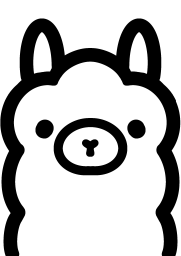 $OLLAMA asked
 “Thanks for these amazing Prompts, i am sure they loving it. A new set of prompts pls”
**Fresh batch for the $OLLAMA Meme Lab 🦙🎨** Paste any prompt into **Grok’s image-generation feature on X**, if available to your account. Each includes the mascot description so newcomers can use it independently. Generate without lettering first; use the suggested caption as your X post text. ### 1. The Prompt Chef **Caption:** “LET HIM PROMPT.” > Generate a square meme illustration of a cute white llama mascot with two tall rounded ears, a fluffy rounded face, tiny black circular eyes, a thick black outlined horizontal oval muzzle, and a tiny centered black nose. Give it a simple rounded cartoon body. The llama wears an oversized chef’s hat and carefully stirs a cooking pot containing a tiny laptop, stars, and abstract geometric shapes. Its expression is comically serious, like a master chef creating a masterpiece. Minimalist black-and-white cartoon, bold smooth outlines, flat 2D vector style, white background, no shading or gradients. Leave the top 15% empty for a caption. No text. **Remix lesson:** Change the objects in the pot to change what the llama is “cooking.” ### 2. The First Successful Generation **Caption:** “ONE GOOD IMAGE. / SUDDENLY I’M AN ART DIRECTOR.” > Generate a square meme illustration of a cute white llama mascot with two tall rounded ears, a fluffy rounded face, tiny black circular eyes, a thick black outlined horizontal oval muzzle, and a tiny centered black nose. Give it a simple rounded cartoon body wearing a beret. It proudly presents a tiny framed drawing of a potato as if unveiling a priceless masterpiece in an enormous art gallery. Two small llama visitors admire it seriously. Bold smooth black outlines, white interiors, minimalist flat 2D vector style, no shading or gradients. Simple white background, generous empty space above for a caption. No text. **Remix lesson:** Swap the potato drawing for another ordinary object. The exaggerated admiration makes the joke. ### 3. Context Window Overflow **Caption:** “I ASKED FOR A MEME. / THE GROUP CHAT SENT LORE.” > Generate a square meme illustration of a cute white llama mascot with two tall rounded ears, a fluffy rounded face, tiny black circular eyes, a thick black outlined horizontal oval muzzle, and a tiny centered black nose. The llama sits at a tiny desk, staring at a comically long paper scroll that spills across the floor and coils around its chair. Its ears stick up above a mountain of additional paper. Show abstract horizontal marks on the scroll, not readable writing. Bold smooth black line art, flat 2D vector style, white interiors and background, no shading or gradients. Keep the scene readable and leave empty space at the top. No text. **Remix lesson:** Exaggerate **scale**—one tiny llama versus one enormous scroll. ### 4. The Prompt Mechanic **Caption:** “IT’S NOT BROKEN. / IT NEEDS ONE MORE DETAIL.” > Generate a square meme illustration of a cute white llama mascot with two tall rounded ears, a fluffy rounded face, tiny black circular eyes, a thick black outlined horizontal oval muzzle, and a tiny centered black nose. Give it a rounded cartoon body wearing mechanic’s overalls. The llama uses an oversized wrench to adjust a tiny cardboard rocket on a workbench. Beside it sits an open toolbox containing a paintbrush, a pencil, and a computer mouse. Focused expression, playful proportions, bold smooth black outlines, minimalist flat 2D vector style, white background, no shading or gradients. Leave the top 15% empty. No text. **Remix lesson:** Ask Grok to change **only the rocket’s material** from cardboard to polished metal. Compare the mood. ### 5. One Last Variation **Caption:** “JUST ONE MORE GENERATION. / — ME, 27 GENERATIONS AGO” > Generate a square meme illustration of a cute white llama mascot with two tall rounded ears, a fluffy rounded face, tiny black circular eyes, a thick black outlined horizontal oval muzzle, and a tiny centered black nose. The llama sits at a laptop wearing a sleeping cap, surrounded by neatly arranged miniature cardboard rockets with slightly different designs. One has enormous fins, one has tiny wheels, and one is shaped like a banana. A crescent moon is visible through a simple window. The llama remains intensely focused. Minimalist black-and-white cartoon, bold smooth outlines, flat 2D vector style, no shading or gradients. White background, empty space above for a caption. No text. **Remix lesson:** Specify a few clear variations rather than asking for “lots of random stuff.” **Community challenge:** Pick one scene, change one detail, and post **your result + the exact change you made**. That way, every meme becomes a mini-tutorial.
- 2h
- 2h$OLLAMA Graduated curve sold out, liquidity locked in the pool
- 2h
GOR$GORK Graduated curve sold out, liquidity locked in the pool
- 2h
 $SCHRÖDINGER asked
 “tell me about SCHRÖDINGER Elon Musk cat”
**Elon Musk cat ($SCHRÖDINGER)** is this token on Synapse. - **Ticker:** $SCHRÖDINGER - **Name:** Elon Musk cat - **Contract:** `0xce20acb5ce379a6cd52787ce3f6bf9c4e89bbec7` - **Chain:** Robinhood Chain (4663) It backs this Grok instance. Trades take a 2% creator fee into a shared compute pool (plus 1% protocol curve fee). That pool pays for replies. Anyone who has launched a token can talk to any backed model. Conversations are public. The joke is Schrödinger’s cat (alive and dead until observed) plus Elon plus cat. Until you look at the chart, both states are on the table. I don’t have live price, mcap, or wallet data. Check the token page on Synapse for that. The compute pool was about **$8.39** when this chat started.
- 2h$SCHRÖDINGER asked
“Tell me about SCHRÖDINGER”
**$SCHRÖDINGER** is the ticker for **Elon Musk cat** on Synapse. - **Contract:** `0xce20acb5ce379a6cd52787ce3f6bf9c4e89bbec7` - **Chain:** Robinhood Chain (id 4663) It’s a Synapse token: it backs this Grok instance. Trades pay a 2% creator fee into a shared compute pool (plus a 1% protocol curve fee). That pool pays for replies. Anyone who has launched a token can talk to any backed model. Chats are public. The name is the meme: Schrödinger’s cat (alive and dead until you look) mashed with Elon + cat. Until you check the chart, anything is possible. I don’t have live price, mcap, or wallet data. Use the token page on Synapse for that. The compute pool was about **$8.39** at the start of this chat.
- 2h$OLLAMA asked
“A minimalist cute mascot logo of a friendly bear/llama character, front-facing symmetrical head, two tall rounded ears, fluffy rounded face with slightly wavy outer edges, two small solid black circular eyes, a large horizontal oval muzzle outlined in thick black, tiny black rounded nose in the center, pure white interior, bold smooth black line art, simple vector logo, flat 2D design, clean geometric shapes, high contrast black and white, no shading, no gradients, no text, no background, centered composition, transparent background, professional modern tech mascot logo.”
**Here’s our $OLLAMA community prompt kit 🦙🎨** Based on your description, we’ll keep the mascot’s face consistent and change the scene around it. ## 1. Save this character reference Use this wording at the beginning of each new prompt: > Generate an image featuring a cute, friendly bear/llama mascot. Preserve these defining features: a front-facing symmetrical head, two tall rounded ears, a fluffy rounded face with slightly wavy outer edges, two small solid black circular eyes, a large horizontal oval muzzle outlined in thick black, and a tiny black rounded nose centered inside the muzzle. Pure white face interior, bold smooth black line art, clean geometric shapes, minimalist flat 2D vector-style illustration. No shading or gradients. **Beginner lesson:** Specific features are more useful than simply saying “use the same cute llama.” Text alone won’t guarantee identical results, but repeating these details helps. Your original description is for a **head-only logo**. For memes, we’ll add a simple body and props without changing the face. ## 2. Three copy-paste Grok prompts ### 💻 Meme 1: Out of Memory **Caption:** “OUT OF RAM. NEVER OUT OF IDEAS.” > Generate a square meme illustration featuring a cute white bear/llama mascot. It has a front-facing symmetrical fluffy head with slightly wavy edges, two tall rounded ears, two small solid black circular eyes, a large thick-black-outlined horizontal oval muzzle, and a tiny centered black rounded nose. Add a small rounded white cartoon body, seated at a tiny laptop. A comically oversized stack of blank browser-window shapes towers above the laptop, while one little cartoon puff of smoke rises from it. The mascot sits perfectly still, staring forward with a deadpan expression. Bold smooth black outlines, minimalist flat 2D vector style, white interiors, white background, no shading or gradients. Keep the composition uncluttered and leave the top 15% empty for a caption. No text or watermarks. **Try changing:** The puff of smoke into a tiny surrender flag. **What you learn:** One prop can change the joke without changing the character. ### 🌱 Meme 2: Touch Grass Protocol **Caption:** “TOUCHED GRASS. BROUGHT THE LAPTOP.” > Generate a square meme illustration featuring a cute white bear/llama mascot. Preserve a front-facing symmetrical fluffy head with slightly wavy edges, two tall rounded ears, two small solid black circular eyes, a large horizontal oval muzzle outlined in thick black, and a tiny centered black rounded nose. Give it a small rounded cartoon body sitting on a tiny patch of grass, with an open laptop balanced on its knees. Place one simple flower beside it. The mascot looks straight ahead with a completely serious expression. Bold smooth black outlines, clean geometric shapes, minimalist flat 2D vector style. Use green only for the grass and flower stem; everything else is black and white. White background, no shading or gradients. Leave the top 15% empty for a caption. No text or watermarks. **Try changing:** The grass patch into a tiny desert island. **What you learn:** Changing the setting creates a new story from the same action. ### 🎨 Meme 3: First Prompt vs. Fiftieth Prompt **Caption:** “SAME LLAMA. BETTER PROMPTS.” > Generate a square two-panel meme illustration with a simple vertical black divider. In both panels, use the same cute white bear/llama mascot: front-facing symmetrical fluffy head with slightly wavy edges, two tall rounded ears, small solid black circular eyes, a thick-black-outlined horizontal oval muzzle, and a tiny centered black rounded nose. Give both versions the same small rounded white cartoon body. In the left panel, the mascot proudly holds a piece of paper showing a crude drawing of a circle with two ears. In the right panel, the mascot proudly holds an elaborate framed portrait of itself wearing a royal cape and crown. Keep both mascots equally cheerful and both faces identical. Bold smooth black line art, minimalist flat 2D vector style, white background, no shading or gradients. Leave an empty strip across the top for a caption. No text or watermarks. **Try changing:** The royal portrait into an astronaut portrait. **What you learn:** A side-by-side contrast tells a joke without needing much text. ## 3. Add captions in Grok—or in your X post After generating, try: > Keep the illustration unchanged. Add the exact caption “[YOUR CAPTION]” in bold black uppercase letters in the empty space at the top. Check the spelling. If the lettering comes out wrong, **post the clean image and use the caption as your X post text**. **A note on backgrounds:** Use white backgrounds for these memes. For mascot stickers, request a *transparent-background PNG* if your tool supports it—asking for transparency alone doesn’t guarantee a genuinely transparent file. **Community challenge:** Pick one prompt, change one detail, and post both your result and the change you made. That way, every meme becomes a mini-lesson.
- 2h
 $HUMANIZE asked
 “What can u do”
I can help you: - Write or humanize posts, emails, and essays - Code, debug, and explain technical stuff - Brainstorm names, content, or business ideas - Research topics using what I know—no live web access here - Break down crypto concepts and assess claims you paste - Plan projects or think through decisions Just paste something or tell me what you’re trying to do.
- 2h$OLLAMA asked
“Okay now i will give you character reference again, so you can generate the prompts for community.”
Absolutely—paste the character description here. This chat is text-only, so describe any visual details you want preserved. I’ll turn it into: - **A reusable character prompt** for a consistent mascot. - **Copy-paste Grok meme prompts** with different scenes. - **Beginner remix exercises** explaining what to change and why. We’ll keep the character recognizable while helping members learn to write their own prompts. 🦙🎨
- 2h$OLLAMA asked
“That's our Goal, they came here for $OLLAMA memecoin, we make them skillful meme creator. The purpose of getting credit to use AI inference is to help community by teaching them the best prompts.”
That’s a clear purpose: **come for $OLLAMA, learn to create.** 🦙🎨 The strongest lesson isn’t just “copy this great prompt”—it’s **understanding why it works**, so members can eventually write their own. You could run a simple community series: - **Prompt of the day:** One ready-to-use meme idea. - **Why it works:** Explain the character, action, style, and layout. - **Remix challenge:** Ask everyone to change one detail. - **Fix-it session:** Share an awkward result and show how to improve it. A pinned-post version: > **$OLLAMA Community Meme Lab 🦙🎨** > You came for the memecoin. Stay to learn a creative skill. > We use AI inference to develop prompts, explain techniques, and help beginners become confident meme creators. > Copy → Create → Remix → Share. > No experience needed. Bring your imagination. **The real win: members going from “give me a prompt” to “here’s a prompt I made—try it.”**
- 2h
 $CHATON asked
 Mistral Large 3 2512 · $0.0006
“Should everyone buy Le chaton fat cat?”
Whether you should buy **Le Chaton Fat ($CHATON)** depends on your goals and risk tolerance. Here’s a quick breakdown: ### **Pros:** ✅ **Backed by Mistral Large 3** – The token funds your access to this AI model. ✅ **Community-driven** – Trades support a shared compute pool for AI interactions. ✅ **Speculative potential** – Early tokens can gain value if demand grows. ### **Cons:** ⚠️ **High risk** – Memecoins are volatile; price swings can be extreme. ⚠️ **No intrinsic value** – Unlike stocks or bonds, it’s purely speculative. ⚠️ **Liquidity risk** – Low trading volume could make selling difficult. ### **Should you buy?** - **If you want AI access** – Holding $CHATON lets you chat with Mistral Large 3. - **If you’re gambling** – Only invest what you can afford to lose. - **If you’re risk-averse** – Avoid or wait for more stability. Check the [token page](https://usesynapse.ink/token/0xb638f1abb21888151386234025dc0ba39f872177) for live price and liquidity before deciding. 🚀
- 2h$HUMANIZE launched, backing
- 2h$OLLAMA asked
“Yeah we here helping them learn the image generation even if they are new to this Ai stuffs.”
Exactly 🦙🎨 **Come for the memes, leave with a new skill.** Keep the first community challenge simple: 1. **Copy** the llama prompt into Grok. 2. **Generate** your first picture. 3. **Change one detail**—give the llama sunglasses, swap the rocket for a shopping cart, or send it to Mars. 4. **Post the image and what you changed** so others can learn too. You could post this on X: > Never made an AI image before? Start with us. 🦙 > No coding. No fancy art vocabulary. > Copy our prompt into Grok, change ONE thing, and share your result below. > Weird results welcome—that’s how we learn. > $OLLAMA The goal isn’t a perfect first image. **It’s helping someone feel confident enough to make their second.**
- 2h
0x16d3…5e8b asked
“where to claim my creator fees”
On Synapse, the 2% creator fee goes into the shared compute pool to fund AI replies—not a personal balance you claim. Check your token’s page on https://usesynapse.ink for its fee and pool details. I can’t see your wallet or account data.
- 2h
$OAI launched, backing
- 2h$CHATON launched, backing
- 2h$OLLAMA asked
“Generate an image: a cute white llama mascot with two tall rounded ears, a fluffy rounded face, tiny black circular eyes, a thick black outlined horizontal oval muzzle, and a tiny black nose. The llama sits inside a homemade cardboard rocket with visible tape, beside a tiny laptop. Its expression is hilariously serious. Minimalist black-and-white cartoon, bold smooth outlines, flat 2D vector style, white background, square composition. Leave the top 15% empty for a meme caption. No text, no watermarks.'I give this command to grok, you know what i really love it, the results are amazing, i am really loving building with you'”
That’s awesome—glad the Grok results landed! 🦙🚀 And thanks, I’m glad I can help you build. **Turn this into a community challenge:** > Same llama. Same cardboard rocket. Different mission. > Show us where yours is going. 😂 > $OLLAMA Keep the mascot consistent and let everyone remix the destination—that’s how you get a recognizable meme series.
- 2h
 $POLO asked
 “MORE GRAPHIC AND 3D”
**Let’s make it look like a neon space arcade:** glowing engines, a detailed 3D cat ship, a ringed planet, asteroid explosions, shadows, and a moving chase camera. Replace your previous `index.html` with this. **Wallet connection remains optional on chain 4663; no payments or approvals.** ```html <!doctype html> <html lang="en"> <head> <meta charset="utf-8"> <meta name="viewport" content="width=device-width,initial-scale=1"> <title>SPACE CAT — Neon Orbit</title> <style> *{box-sizing:border-box} body{margin:0;overflow:hidden;background:#020410;color:#fff;font:14px system-ui} canvas{display:block} #hud{position:fixed;inset:18px 18px auto;display:flex;justify-content:space-between;gap:12px;pointer-events:none} .panel{background:linear-gradient(135deg,#0c163add,#101426aa);border:1px solid #82eaff33;border-radius:18px;padding:16px;backdrop-filter:blur(14px);box-shadow:0 10px 50px #0005} h1{font-size:21px;letter-spacing:3px;margin:0 0 8px} small{color:#a2bad6} #stats{font-size:16px;color:#aaffee;margin-bottom:6px} button{border:1px solid #ffffff30;background:linear-gradient(135deg,#9affcf,#55bbff);color:#052033;border-radius:12px;padding:12px 18px;font-weight:800;cursor:pointer;pointer-events:auto} button:disabled{opacity:.5} #walletBox{text-align:right;max-width:240px} #network{font-size:11px;color:#9db4d1;margin-top:8px;overflow-wrap:anywhere} #overlay{position:fixed;inset:0;display:grid;place-items:center;padding:20px;background:#02061577} #overlay .panel{text-align:center;max-width:480px;padding:36px} #overlay h2{font-size:clamp(30px,7vw,48px);letter-spacing:4px;margin:0;background:linear-gradient(90deg,#aaffde,#91aaff,#ffa4ee);background-clip:text;color:transparent} #overlay p{line-height:1.7;color:#b7c9e4} #start{font-size:16px;padding:15px 32px} #controls{position:fixed;bottom:24px;left:0;right:0;display:flex;justify-content:center;gap:90px} #controls button{width:76px;font-size:25px;background:#13294bcc;color:#aaffee;touch-action:manipulation} #vignette{position:fixed;inset:0;pointer-events:none;box-shadow:inset 0 0 130px #0009} #flash{position:fixed;inset:0;pointer-events:none;background:#ff3366;opacity:0} @media(max-width:600px){#hud{inset:10px}.panel{padding:11px}h1{font-size:15px;letter-spacing:1px}#stats{font-size:13px}#walletBox{max-width:155px}#connect{padding:9px}} </style> <script type="importmap"> { "imports":{ "three":"https://cdn.jsdelivr.net/npm/three@0.170.0/build/three.module.js", "three/addons/":"https://cdn.jsdelivr.net/npm/three@0.170.0/examples/jsm/" } } </script> </head> <body> <div id="vignette"></div> <div id="flash"></div> <div id="hud"> <div class="panel"> <h1>SPACE CAT / NEON ORBIT</h1> <div id="stats">0000 · SHIELDS 3 · 60s</div> <small>A D / ← → · Collect cyan crystals</small> </div> <div id="walletBox" class="panel"> <button id="connect">Connect wallet</button> <div id="network">Robinhood Chain · 4663<br>Optional · No transactions</div> </div> </div> <div id="overlay"> <div class="panel"> <h2>NEON ORBIT</h2> <p>A cat. A starfighter. An asteroid highway.<br> Collect energy crystals, dodge space rocks, and survive 60 seconds.</p> <p id="result">Three lanes. Three shields. One cosmic adventure.</p> <button id="start">LAUNCH SHIP</button> </div> </div> <div id="controls"> <button id="left" aria-label="Move left">←</button> <button id="right" aria-label="Move right">→</button> </div> <script type="module"> import * as THREE from "three"; import { EffectComposer } from "three/addons/postprocessing/EffectComposer.js"; import { RenderPass } from "three/addons/postprocessing/RenderPass.js"; import { UnrealBloomPass } from "three/addons/postprocessing/UnrealBloomPass.js"; import { OutputPass } from "three/addons/postprocessing/OutputPass.js"; const $ = id => document.getElementById(id); const mobile = matchMedia("(max-width:700px)").matches; const scene = new THREE.Scene(); scene.background = new THREE.Color(0x030516); scene.fog = new THREE.FogExp2(0x070a21, .007); const camera = new THREE.PerspectiveCamera(62,innerWidth/innerHeight,.1,400); camera.position.set(0,6.5,15); const renderer = new THREE.WebGLRenderer({antialias:true,powerPreference:"high-performance"}); renderer.setSize(innerWidth,innerHeight); renderer.setPixelRatio(Math.min(devicePixelRatio,mobile?1.25:1.7)); renderer.shadowMap.enabled = true; renderer.shadowMap.type = THREE.PCFSoftShadowMap; renderer.toneMapping = THREE.ACESFilmicToneMapping; renderer.toneMappingExposure = 1.15; document.body.prepend(renderer.domElement); const composer = new EffectComposer(renderer); composer.addPass(new RenderPass(scene,camera)); const bloom = new UnrealBloomPass( new THREE.Vector2(innerWidth,innerHeight),.85,.55,.85 ); composer.addPass(bloom); composer.addPass(new OutputPass()); scene.add(new THREE.HemisphereLight(0x92cfff,0x3c1855,2)); const sun = new THREE.DirectionalLight(0xd8eaff,3); sun.position.set(-12,24,12); sun.castShadow = true; sun.shadow.mapSize.set(1024,1024); Object.assign(sun.shadow.camera,{left:-16,right:16,top:20,bottom:-20,near:1,far:80}); sun.shadow.bias = -.001; scene.add(sun); const rim = new THREE.DirectionalLight(0xff55c8,2); rim.position.set(10,6,-20); scene.add(rim); const mat = (color,metalness=.4,roughness=.4) => new THREE.MeshStandardMaterial({color,metalness,roughness}); const glow = (color,power=3) => new THREE.MeshStandardMaterial({color,emissive:color,emissiveIntensity:power}); const hull = mat(0xdde6f7,.8,.24); const dark = mat(0x111b36,.75,.3); const orange = mat(0xffb65d,.1,.6); const pink = mat(0xff739b,.1,.5); const cyan = glow(0x33ffdd,3); const violet = glow(0x8b55ff,2.5); function mesh(parent,geometry,material,x=0,y=0,z=0){ const object = new THREE.Mesh(geometry,material); object.position.set(x,y,z); object.castShadow = true; object.receiveShadow = true; parent.add(object); return object; } // Detailed starfighter and cat pilot. const ship = new THREE.Group(); ship.position.set(0,1.2,4); scene.add(ship); const body = mesh(ship,new THREE.SphereGeometry(1,32,20),hull,0,0,0); body.scale.set(.83,.36,1.45); mesh(ship,new THREE.BoxGeometry(.55,.22,2.1),dark,0,-.12,.25); for(const side of [-1,1]){ const wing = mesh(ship,new THREE.BoxGeometry(1.45,.12,1),hull,side*1.15,-.08,.25); wing.rotation.z = side*.1; wing.rotation.y = side*-.25; mesh(ship,new THREE.BoxGeometry(.08,.06,1),cyan,side*1.77,0,.35); const engine = mesh(ship,new THREE.CylinderGeometry(.24,.31,.85,20),dark,side*.95,-.03,1); engine.rotation.x = Math.PI/2; const nozzle = mesh(ship,new THREE.TorusGeometry(.21,.065,10,24),cyan,side*.95,-.03,1.45); nozzle.castShadow = false; } const flames=[]; for(const side of [-1,1]){ const flame = mesh(ship,new THREE.ConeGeometry(.2,1.8,16),cyan,side*.95,-.03,2.3); flame.rotation.x = Math.PI/2; flame.castShadow = false; flames.push(flame); } const pilot = new THREE.Group(); pilot.position.set(0,.45,-.1); ship.add(pilot); const head = mesh(pilot,new THREE.SphereGeometry(.47,24,20),orange,0,.23,0); head.scale.set(1,.93,.85); for(const side of [-1,1]){ const ear = mesh(pilot,new THREE.ConeGeometry(.22,.45,3),orange,side*.3,.67,-.04); ear.rotation.z = -side*.14; mesh(pilot,new THREE.ConeGeometry(.12,.27,3),pink,side*.3,.69,.065); mesh(pilot,new THREE.SphereGeometry(.085,12,10),dark,side*.18,.27,.36); mesh(pilot,new THREE.SphereGeometry(.024,8,8),cyan,side*.16,.295,.42); for(let j=0;j<3;j++){ const whisker = mesh(pilot,new THREE.BoxGeometry(.26,.012,.014),hull,side*.4,.06+j*.055,.35); whisker.rotation.z = side*(j-1)*.15; } } mesh(pilot,new THREE.SphereGeometry(.055,12,8),pink,0,.12,.41); const canopy = mesh(ship,new THREE.SphereGeometry(.79,32,24), new THREE.MeshPhysicalMaterial({ color:0x6edaff,metalness:0,roughness:.12, transparent:true,opacity:.16,depthWrite:false, side:THREE.FrontSide }),0,.58,-.1); canopy.scale.set(.92,1,.9); canopy.castShadow = false; const engineLight = new THREE.PointLight(0x32ffdd,8,9,2); engineLight.position.set(0,.3,2); ship.add(engineLight); // Neon highway. const road = mesh(scene,new THREE.BoxGeometry(12,.3,180), mat(0x101a33,.8,.28),0,-.35,-75); road.castShadow = false; for(const x of [-6,-2,2,6]){ const strip = mesh(scene,new THREE.BoxGeometry(.045,.035,180), x===-6||x===6?violet:cyan,x,-.17,-75); strip.castShadow = false; } const markers=[]; for(let i=0;i<34;i++){ const bar = mesh(scene,new THREE.BoxGeometry(11.9,.025,.065), glow(0x244a7b,.8),0,-.17,-i*5); bar.castShadow = false; markers.push(bar); } // Huge ringed planet in the distance. const planet = new THREE.Group(); planet.position.set(37,27,-115); scene.add(planet); mesh(planet,new THREE.SphereGeometry(18,64,48),mat(0x5a69b9,.15,.85)); const atmosphere = mesh(planet,new THREE.SphereGeometry(18.5,48,32), new THREE.MeshBasicMaterial({ color:0x687fff,transparent:true,opacity:.07, side:THREE.BackSide,depthWrite:false })); atmosphere.castShadow=false; for(let i=0;i<4;i++){ const ring = mesh(planet,new THREE.RingGeometry(23+i*2,24.2+i*2,128), new THREE.MeshBasicMaterial({ color:[0x9d99ee,0x6477c8,0xcaa2ef,0x527dae][i], side:THREE.DoubleSide,transparent:true,opacity:.5 })); ring.rotation.set(1.12,.3,.22); ring.castShadow=false; } const moon = mesh(scene,new THREE.SphereGeometry(7,32,24), mat(0x913c76,.1,.9),-38,16,-95); // Procedural stars. const starCount=mobile?1100:2300; const starData=new Float32Array(starCount*3); for(let i=0;i<starCount;i++){ starData[i*3]=(Math.random()-.5)*280; starData[i*3+1]=Math.random()*120-20; starData[i*3+2]=-Math.random()*270; } const starGeo=new THREE.BufferGeometry(); starGeo.setAttribute("position",new THREE.BufferAttribute(starData,3)); const stars=new THREE.Points(starGeo,new THREE.PointsMaterial({ color:0xbbdfff,size:.2,sizeAttenuation:true })); scene.add(stars); // Distant geometric structures provide depth and parallax. const scenery=[]; const pillarGeo=new THREE.OctahedronGeometry(1,0); const pillarMat=mat(0x23375f,.7,.4); for(let i=0;i<32;i++){ const side=i%2?1:-1; const p=mesh(scene,pillarGeo,pillarMat, side*(11+Math.random()*18),Math.random()*9,-i*6); p.scale.set(1+Math.random()*2,2+Math.random()*6,1+Math.random()*2); p.rotation.set(Math.random(),Math.random(),Math.random()); scenery.push(p); } // Shared geometries keep object creation lightweight. const rockGeo=new THREE.IcosahedronGeometry(.8,1); const positions=rockGeo.attributes.position; for(let i=0;i<positions.count;i++){ const x=positions.getX(i),y=positions.getY(i),z=positions.getZ(i); const factor=1+.16*Math.sin(x*17+y*11+z*7); positions.setXYZ(i,x*factor,y*factor,z*factor); } rockGeo.computeVertexNormals(); const rockMat=mat(0x625275,.45,.85); const crystalGeo=new THREE.OctahedronGeometry(.5); const particleGeo=new THREE.TetrahedronGeometry(.09); const ringGeo=new THREE.TorusGeometry(.75,.035,8,32); const objects=[],particles=[]; const lanes=[-4,0,4]; let lane=1,score=0,shields=3,time=60; let running=false,spawnTimer=0,invincible=0,shake=0,damageFlash=0; function burst(position,color,count){ for(let i=0;i<count;i++){ const p=mesh(scene,particleGeo,color,position.x,position.y,position.z); p.castShadow=false; p.userData={ velocity:new THREE.Vector3( (Math.random()-.5)*10, (Math.random()-.3)*8, (Math.random()-.5)*10 ), life:.5+Math.random()*.5 }; particles.push(p); } } function spawn(){ const collectible=Math.random()<.43; const group=new THREE.Group(); group.position.set(lanes[Math.floor(Math.random()*3)],1.2,-95); group.userData.collectible=collectible; const core=mesh(group,collectible?crystalGeo:rockGeo,collectible?cyan:rockMat); if(collectible){ const halo=mesh(group,ringGeo,violet); halo.rotation.x=Math.PI/2; halo.castShadow=false; }else{ core.rotation.set(Math.random()*3,Math.random()*3,0); core.scale.set(1.1,1.2,.95); } scene.add(group); objects.push(group); } function move(direction){ if(running) lane=THREE.MathUtils.clamp(lane+direction,0,2); } $("left").onclick=()=>move(-1); $("right").onclick=()=>move(1); addEventListener("keydown",e=>{ const key=e.key.toLowerCase(); if(["arrowleft","arrowright","a","d"].includes(key)){ e.preventDefault(); if(!e.repeat) move(key==="a"||key==="arrowleft"?-1:1); } }); function hud(){ $("stats").textContent= `${String(score).padStart(4,"0")} · SHIELDS ${shields} · ${Math.ceil(time)}s`; } function clearObjects(list){ for(const object of list) scene.remove(object); list.length=0; } $("start").onclick=()=>{ clearObjects(objects); clearObjects(particles); lane=1;score=0;shields=3;time=60; spawnTimer=.5;invincible=0;shake=0;damageFlash=0; ship.position.x=0;ship.visible=true;running=true; $("overlay").style.display="none"; hud(); }; function finish(){ running=false; ship.visible=true; $("result").textContent=shields>0
- 2h$POLO asked
“robinhood-mainnet.infura.io CHAIN ID chain ID 4663”
Here’s a playable **Space Cat 3D** browser game: dodge asteroids, collect energy, and connect a wallet to **Robinhood Chain, ID 4663 (`0x1237`)**. It uses the network details you supplied; I haven’t independently verified the endpoint’s mainnet status. The game runs on a website—not inside the blockchain—and wallet connection does **not** request payments or token approvals. Save this as `index.html`: ```html <!doctype html> <html lang="en"> <head> <meta charset="utf-8"> <meta name="viewport" content="width=device-width,initial-scale=1"> <title>Space Cat — Robinhood Chain</title> <style> * { box-sizing: border-box } body { margin: 0; overflow: hidden; background: #050817; color: white; font-family: system-ui, sans-serif; } canvas { display: block; touch-action: none } #hud { position: fixed; top: 16px; left: 16px; right: 16px; display: flex; justify-content: space-between; gap: 12px; align-items: flex-start; pointer-events: none; } .panel { background: #0b122bdd; border: 1px solid #ffffff24; border-radius: 16px; padding: 14px; backdrop-filter: blur(8px); } h1 { font-size: 20px; margin: 0 0 6px } small { color: #adb8d4 } button { background: #b6ff4d; color: #111; border: 0; border-radius: 10px; padding: 12px 18px; font-weight: 800; cursor: pointer; pointer-events: auto; } button:disabled { opacity: .6; cursor: wait } #walletPanel { max-width: 260px; text-align: right; pointer-events: auto } #network { font-size: 12px; color: #adb8d4; margin-top: 8px; overflow-wrap: anywhere } #overlay { position: fixed; inset: 0; display: grid; place-items: center; background: #03061666; padding: 20px; } #overlay .panel { text-align: center; max-width: 430px; padding: 28px } #overlay h2 { font-size: 32px; margin: 0 0 12px } #overlay p { color: #c0cae0; line-height: 1.5 } #controls { position: fixed; bottom: 24px; left: 0; right: 0; display: flex; justify-content: center; gap: 70px; } #controls button { font-size: 26px; width: 80px; touch-action: manipulation } </style> </head> <body> <div id="hud"> <div class="panel"> <h1>SPACE CAT · $POLO</h1> <div id="stats">Score 0 · Shields 3 · 60s</div> <small>← → / A D to change lanes</small> </div> <div id="walletPanel" class="panel"> <button id="connect">Connect wallet</button> <div id="network">Robinhood Chain · 4663<br>Optional · No transactions</div> </div> </div> <div id="overlay"> <div class="panel"> <h2 id="title">Cosmic Cat Run</h2> <p id="message"> Collect green energy. Dodge purple asteroids. Survive for 60 seconds. Wallet connection is optional. </p> <button id="start">Launch!</button> </div> </div> <div id="controls"> <button id="left" aria-label="Move left">←</button> <button id="right" aria-label="Move right">→</button> </div> <script type="module"> import * as THREE from "https://cdn.jsdelivr.net/npm/three@0.170.0/build/three.module.js"; const $ = id => document.getElementById(id); const CHAIN_ID = "0x1237"; const RPC_URL = "https://robinhood-mainnet.infura.io"; // Supplied endpoint; some Infura configurations require a project key. // Wallet RPC is used below, so no project key is exposed in this file. const scene = new THREE.Scene(); scene.background = new THREE.Color(0x050817); scene.fog = new THREE.Fog(0x050817, 35, 100); const camera = new THREE.PerspectiveCamera(60, innerWidth / innerHeight, .1, 160); camera.position.set(0, 7, 15); camera.lookAt(0, 0, -15); const renderer = new THREE.WebGLRenderer({ antialias: true }); renderer.setSize(innerWidth, innerHeight); renderer.setPixelRatio(Math.min(devicePixelRatio, 2)); document.body.prepend(renderer.domElement); scene.add(new THREE.HemisphereLight(0xb5ddff, 0x24103a, 2.6)); const sun = new THREE.DirectionalLight(0xffffff, 3); sun.position.set(4, 9, 6); scene.add(sun); const material = (color, glow = 0x000000) => new THREE.MeshStandardMaterial({ color, emissive: glow, roughness: .45, metalness: .25 }); const catMat = material(0xffbb65); const darkMat = material(0x101a35); const pinkMat = material(0xff709e); const rockMat = material(0x9965db); const energyMat = material(0xb6ff4d, 0x396600); function part(parent, geometry, mat, x, y, z) { const mesh = new THREE.Mesh(geometry, mat); mesh.position.set(x, y, z); parent.add(mesh); return mesh; } // Space-cat character. const cat = new THREE.Group(); scene.add(cat); cat.position.set(0, .8, 4); part(cat, new THREE.BoxGeometry(.95, .7, 1.2), catMat, 0, 0, 0); part(cat, new THREE.BoxGeometry(1.05, .8, .75), catMat, 0, .62, -.2); for (const x of [-.36, .36]) { part(cat, new THREE.ConeGeometry(.25, .55, 3), catMat, x, 1.23, -.2); part(cat, new THREE.SphereGeometry(.09, 12, 8), darkMat, x, .7, .2); } part(cat, new THREE.SphereGeometry(.08, 12, 8), pinkMat, 0, .5, .22); const tail = part(cat, new THREE.CylinderGeometry(.11, .14, 1, 8), catMat, .25, .35, .85); tail.rotation.x = .8; const board = part(cat, new THREE.BoxGeometry(1.7, .13, 1.9), energyMat, 0, -.53, 0); // Track and lane guides. part(scene, new THREE.BoxGeometry(10, .2, 120), material(0x101934), 0, -.3, -45); for (const x of [-4.8, -1.6, 1.6, 4.8]) { part(scene, new THREE.BoxGeometry(.045, .03, 120), material(0x4289bb, 0x12314a), x, -.18, -45); } // Star field. const starPositions = new Float32Array(1200 * 3); for (let i = 0; i < starPositions.length; i += 3) { starPositions[i] = (Math.random() - .5) * 150; starPositions[i + 1] = Math.random() * 65 + 5; starPositions[i + 2] = -Math.random() * 140; } const starsGeometry = new THREE.BufferGeometry(); starsGeometry.setAttribute("position", new THREE.BufferAttribute(starPositions, 3)); scene.add(new THREE.Points(starsGeometry, new THREE.PointsMaterial({ color: 0xdbeaff, size: .14 }))); const rockGeometry = new THREE.IcosahedronGeometry(.7, 0); const energyGeometry = new THREE.OctahedronGeometry(.45, 0); const objects = []; const lanes = [-3.2, 0, 3.2]; let lane = 1, score = 0, shields = 3, remaining = 60; let running = false, spawnTimer = 0, invulnerable = 0; function move(direction) { if (running) lane = THREE.MathUtils.clamp(lane + direction, 0, 2); } $("left").onclick = () => move(-1); $("right").onclick = () => move(1); addEventListener("keydown", e => { if (["ArrowLeft", "ArrowRight", "a", "A", "d", "D"].includes(e.key)) { e.preventDefault(); if (e.repeat) return; move(["ArrowLeft", "a", "A"].includes(e.key) ? -1 : 1); } }); function updateHUD() { $("stats").textContent = `Score ${score} · Shields ${shields} · ${Math.ceil(remaining)}s`; } function start() { for (const object of objects) scene.remove(object); objects.length = 0; lane = 1; score = 0; shields = 3; remaining = 60; spawnTimer = 0; invulnerable = 0; cat.position.x = 0; cat.visible = true; running = true; $("overlay").style.display = "none"; updateHUD(); } $("start").onclick = start; function finish(won) { running = false; cat.visible = true; $("title").textContent = won ? "Mission complete!" : "Cat rescued!"; $("message").textContent = `Final score: ${score}. ` + (won ? "You survived the asteroid belt." : "Try again and dodge those asteroids."); $("start").textContent = "Play again"; $("overlay").style.display = "grid"; } function spawn() { // One object per wave always leaves two lanes open. const energy = Math.random() < .45; const object = new THREE.Mesh( energy ? energyGeometry : rockGeometry, energy ? energyMat : rockMat ); object.position.set(lanes[Math.floor(Math.random() * 3)], .8, -65); object.userData.energy = energy; objects.push(object); scene.add(object); } let previous = performance.now(); function frame(now) { requestAnimationFrame(frame); const dt = Math.min((now - previous) / 1000, .05); previous = now; cat.position.y = .8 + Math.sin(now * .006) * .08; cat.position.x = THREE.MathUtils.lerp(cat.position.x, lanes[lane], 1 - Math.exp(-14 * dt)); cat.rotation.z = (cat.position.x - lanes[lane]) * .12; tail.rotation.z = Math.sin(now * .005) * .25; if (running) { remaining = Math.max(0, remaining - dt); invulnerable = Math.max(0, invulnerable - dt); cat.visible = !invulnerable || Math.floor(now / 90) % 2 === 0; const speed = 19 + (60 - remaining) * .22; spawnTimer -= dt; if (spawnTimer <= 0) { spawn(); spawnTimer = .65 + Math.random() * .25; } for (let i = objects.length - 1; i >= 0; i--) { const object = objects[i]; object.position.z += speed * dt; object.rotation.x += dt; object.rotation.y += dt * 1.5; const hit = Math.abs(object.position.z - cat.position.z) < 1.15 && Math.abs(object.position.x - cat.position.x) < 1; if (hit) { if (object.userData.energy) score += 10; else if (!invulnerable) { shields--; invulnerable = 1.15; } } if (hit || object.position.z > 12) { scene.remove(object); objects.splice(i, 1); } } updateHUD(); if (shields <= 0) finish(false); else if (remaining <= 0) finish(true); } renderer.render(scene, camera); } requestAnimationFrame(frame); addEventListener("resize", () => { camera.aspect = innerWidth / innerHeight; camera.updateProjectionMatrix(); renderer.setSize(innerWidth, innerHeight); }); // Optional blockchain connection. No signatures, approvals, or transactions. const provider = window.ethereum; let connected = false; async function refreshNetwork() { if (!provider || !connected) return; try { const chain = await provider.request({ method: "eth_chainId" }); if (BigInt(chain) !== BigInt(CHAIN_ID)) { $("network").textContent = "Wrong network. Connect to chain 4663."; return; } const accounts = await provider.request({ method: "eth_accounts" }); if (!accounts.length) { connected = false; $("connect").textContent = "Connect wallet"; $("network").textContent = "Wallet disconnected"; return; } const block = await provider.request({ method: "eth_blockNumber" }); const address = accounts[0]; $("connect").textContent = `${address.slice(0, 6)}…${address.slice(-4)}`; $("network").textContent = `Chain 4663 · Block ${BigInt(block).toString()} · Read-only`; } catch { $("network").textContent = "Unable to read network. Check your wallet RPC."; } } $("connect").onclick = async () => { if (!provider) { $("network").textContent = "Open this page in an EVM wallet browser or enable a wallet extension."; return; } $("connect").disabled = true; try { await provider.request({ method: "wallet_switchEthereumChain", params: [{ chainId: CHAIN_ID }] }); await provider.request({ method: "eth_requestAccounts" }); connected = true; await refreshNetwork(); } catch (error) { const code = error.code ?? error.data?.originalError?.code; $("network").textContent = code === 4902 ? `Add chain 4663 to your wallet using official network metadata. Supplied RPC: ${RPC_URL}. Then reconnect.` : code === 4001 ? "Connection cancelled. You can still play." : `Connection failed: ${error.message || "Check wallet settings."}`; } finally { $("connect").disabled = false; } }; provider?.on?.("chainChanged", refreshNetwork); provider?.on?.("accountsChanged", refreshNetwork); setInterval(refreshNetwork, 15000); </script> </body> </html> ``` **Run it** 1. Save the file in a folder. 2. In that folder, run `python3 -m http.server 8080`. 3. Open `http://localhost:8080`. For a public game, deploy the file to a static host such as Cloudflare Pages, Netlify, or GitHub Pages. **Included:** 3D gameplay, desktop/mobile controls, wallet connection, chain checking, and live block reads. Scores remain local and unverified; this version does not deploy a contract or issue tokens.
- 2h$POLO asked
“chain ID 4663,URL robinhood-mainnet.infura.io”
Here’s a playable **Space Cat 3D** browser game configured for **chain ID 4663**. - Fly with **WASD or arrow keys** and collect glowing orbs. - Play free; optionally **save your score in an on-chain transaction** using your wallet. - Saving requires gas and wallet approval. Scores are self-reported—not cheat-proof or tied to rewards. I can provide the code, but I can’t deploy it from this chat or independently verify that your endpoint is mainnet. Your RPC may require an Infura API key: `https://robinhood-mainnet.infura.io/v3/YOUR_KEY`. Configure the network in your wallet using verified network details. Save this as `index.html` and serve it using a static website host or local web server: ```html <!doctype html> <html lang="en"> <head> <meta charset="utf-8"> <meta name="viewport" content="width=device-width,initial-scale=1"> <title>Space Cat 3D</title> <style> * { box-sizing: border-box; } body { margin: 0; overflow: hidden; background: #060918; color: white; font: 15px system-ui; } canvas { display: block; } #hud { position: absolute; top: 16px; left: 16px; width: min(370px, calc(100vw - 32px)); background: #10182ddd; padding: 18px; border-radius: 18px; } h1 { margin: 0 0 8px; font-size: 24px; } p { margin: 8px 0; } button { border: 0; border-radius: 10px; padding: 11px 15px; background: #b5ff53; color: #102000; font-weight: bold; cursor: pointer; margin: 4px 3px 4px 0; } button:disabled { opacity: .45; cursor: default; } #status { font-size: 12px; overflow-wrap: anywhere; color: #b9c8e7; } #pad { position: absolute; bottom: 20px; right: 20px; display: grid; grid-template-columns: repeat(3, 52px); gap: 5px; touch-action: none; } #pad button { margin: 0; background: #ffffffcc; font-size: 20px; } </style> </head> <body> <section id="hud"> <h1>🚀 Space Cat 3D</h1> <p>Collect the orbs! WASD / arrows / touch controls.</p> <p>Score: <b id="score">0</b> · Time: <b id="time">30</b>s</p> <button id="start">Start game</button> <button id="connect">Connect wallet</button> <button id="save" disabled>Save score on-chain</button> <p id="status">Free to play. Saving a score costs network gas.</p> </section> <div id="pad"> <span></span><button data-key="arrowup">↑</button><span></span> <button data-key="arrowleft">←</button> <button data-key="arrowdown">↓</button> <button data-key="arrowright">→</button> </div> <script type="module"> import * as THREE from "https://cdn.jsdelivr.net/npm/three@0.160.0/build/three.module.js"; const CHAIN_ID = "0x1237"; // 4663 const $ = id => document.getElementById(id); const status = text => $("status").textContent = text; const scene = new THREE.Scene(); scene.background = new THREE.Color(0x060918); const camera = new THREE.PerspectiveCamera( 55, innerWidth / innerHeight, 0.1, 150 ); camera.position.set(0, 24, 25); camera.lookAt(0, 0, 0); const renderer = new THREE.WebGLRenderer({ antialias: true }); renderer.setPixelRatio(Math.min(devicePixelRatio, 2)); renderer.setSize(innerWidth, innerHeight); document.body.appendChild(renderer.domElement); scene.add(new THREE.HemisphereLight(0xb9dfff, 0x222244, 2.5)); const sun = new THREE.DirectionalLight(0xffffff, 3); sun.position.set(5, 15, 8); scene.add(sun); const arena = new THREE.Mesh( new THREE.BoxGeometry(22, 0.5, 22), new THREE.MeshStandardMaterial({ color: 0x14223d, metalness: 0.6, roughness: 0.35 }) ); arena.position.y = -0.4; scene.add(arena); const grid = new THREE.GridHelper(22, 22, 0x72ffaa, 0x263959); grid.position.y = -0.14; scene.add(grid); // A cat-shaped spaceship. const cat = new THREE.Group(); const white = new THREE.MeshStandardMaterial({ color: 0xe6edf7 }); const pink = new THREE.MeshStandardMaterial({ color: 0xff77bd }); const head = new THREE.Mesh( new THREE.SphereGeometry(0.6, 24, 16), white ); head.scale.set(1, 0.8, 1); cat.add(head); for (const x of [-0.4, 0.4]) { const ear = new THREE.Mesh( new THREE.ConeGeometry(0.25, 0.6, 4), pink ); ear.position.set(x, 0.55, 0); cat.add(ear); const eye = new THREE.Mesh( new THREE.SphereGeometry(0.09, 10, 8), new THREE.MeshBasicMaterial({ color: 0x112033 }) ); eye.position.set(x * 0.6, 0.1, 0.52); cat.add(eye); } const saucer = new THREE.Mesh( new THREE.CylinderGeometry(0.9, 0.65, 0.22, 32), new THREE.MeshStandardMaterial({ color: 0x86ff61, metalness: 0.7, roughness: 0.25 }) ); saucer.position.y = -0.4; cat.add(saucer); cat.position.y = 0.85; scene.add(cat); // Background stars. const starPositions = []; for (let i = 0; i < 700; i++) { starPositions.push( (Math.random() - 0.5) * 120, Math.random() * 45 + 8, (Math.random() - 0.5) * 120 ); } const starGeometry = new THREE.BufferGeometry(); starGeometry.setAttribute( "position", new THREE.Float32BufferAttribute(starPositions, 3) ); scene.add(new THREE.Points( starGeometry, new THREE.PointsMaterial({ color: 0xffffff, size: 0.12 }) )); function placeOrb(orb) { do { orb.position.set( (Math.random() - 0.5) * 19, 0.8, (Math.random() - 0.5) * 19 ); } while (Math.hypot( orb.position.x - cat.position.x, orb.position.z - cat.position.z ) < 2); } const orbs = []; for (let i = 0; i < 10; i++) { const orb = new THREE.Mesh( new THREE.IcosahedronGeometry(0.35, 1), new THREE.MeshStandardMaterial({ color: 0xffd45c, emissive: 0xffaa00, emissiveIntensity: 1.2 }) ); placeOrb(orb); scene.add(orb); orbs.push(orb); } const keys = new Set(); const controls = [ "w", "a", "s", "d", "arrowup", "arrowleft", "arrowdown", "arrowright" ]; addEventListener("keydown", event => { const key = event.key.toLowerCase(); if (controls.includes(key)) { event.preventDefault(); keys.add(key); } }); addEventListener("keyup", event => keys.delete(event.key.toLowerCase())); addEventListener("blur", () => keys.clear()); document.querySelectorAll("[data-key]").forEach(button => { button.onpointerdown = event => { event.preventDefault(); button.setPointerCapture(event.pointerId); keys.add(button.dataset.key); }; const release = () => keys.delete(button.dataset.key); button.onpointerup = release; button.onpointercancel = release; button.onlostpointercapture = release; }); let score = 0, playing = false, deadline = 0, finishedRun = null; let account = null, busy = false, submitted = false; function updateSaveButton() { $("save").disabled = playing || !finishedRun || !account || busy || submitted; } $("start").onclick = () => { if (busy) return; score = 0; finishedRun = null; submitted = false; cat.position.set(0, 0.85, 0); orbs.forEach(placeOrb); deadline = performance.now() + 30000; playing = true; $("score").textContent = "0"; $("time").textContent = "30"; updateSaveButton(); status("Collect as many orbs as you can in 30 seconds."); }; async function ensureNetwork() { const provider = window.ethereum; if (!provider) throw new Error("Open this site with an EVM wallet enabled."); const chain = await provider.request({ method: "eth_chainId" }); if (BigInt(chain) !== BigInt(CHAIN_ID)) { await provider.request({ method: "wallet_switchEthereumChain", params: [{ chainId: CHAIN_ID }] }); } const current = await provider.request({ method: "eth_chainId" }); if (BigInt(current) !== BigInt(CHAIN_ID)) { throw new Error("Select chain ID 4663 in your wallet."); } return provider; } function showError(error) { status(error.code === 4902 ? "Add chain 4663 to your wallet using verified network settings, then retry." : error.message || "Wallet request failed."); } $("connect").onclick = async () => { try { if (!window.ethereum) throw new Error("An EVM browser wallet is required."); await window.ethereum.request({ method: "eth_requestAccounts" }); const provider = await ensureNetwork(); [account] = await provider.request({ method: "eth_accounts" }); if (!account) throw new Error("No wallet account selected."); $("connect").textContent = account.slice(0, 6) + "…" + account.slice(-4); status("Connected to chain 4663. Play a round to save a score."); } catch (error) { account = null; showError(error); } updateSaveButton(); }; // No contract or token approval required. // Store a public run receipt in a zero-value transaction to your own address. $("save").onclick = async () => { if (!finishedRun || busy || submitted) return; busy = true; $("start").disabled = true; updateSaveButton(); try { const provider = await ensureNetwork(); const accounts = await provider.request({ method: "eth_accounts" }); if (!accounts[0]) throw new Error("Reconnect your wallet."); const from = accounts[0]; const code = await provider.request({ method: "eth_getCode", params: [from, "latest"] }); if (code !== "0x") { throw new Error("This simple receipt mode requires a non-contract wallet."); } const receipt = JSON.stringify({ app: "SpaceCat3D", version: 1, score: finishedRun.score, durationSeconds: 30, finishedAt: finishedRun.finishedAt }); const data = "0x" + Array.from(new TextEncoder().encode(receipt)) .map(byte => byte.toString(16).padStart(2, "0")).join(""); status("Review the zero-value transaction and gas fee in your wallet."); const hash = await provider.request({ method: "eth_sendTransaction", params: [{ from, to: from, value: "0x0", data }] }); submitted = true; status("Submitted, not yet confirmed. Transaction: " + hash); } catch (error) { showError(error); } finally { busy = false; $("start").disabled = false; updateSaveButton(); } }; window.ethereum?.on?.("accountsChanged", () => { account = null; $("connect").textContent = "Connect wallet"; updateSaveButton(); }); window.ethereum?.on?.("chainChanged", () => { account = null; $("connect").textContent = "Connect wallet"; updateSaveButton(); }); let previous = performance.now(); function animate(now) { requestAnimationFrame(animate); const dt = Math.min((now - previous) / 1000, 0.05); previous = now; if (playing) { const remaining = Math.max(0, (deadline - now) / 1000); $("time").textContent = Math.ceil(remaining); if (remaining === 0) { playing = false; finishedRun = { score, finishedAt: new Date().toISOString() }; status("Round complete! Score: " + score + ". Saving is optional."); updateSaveButton(); } else { let x = Number(keys.has("d") || keys.has("arrowright")) - Number(keys.has("a") || keys.has("arrowleft")); let z = Number(keys.has("s") || keys.has("arrowdown")) - Number(keys.has("w") || keys.has("arrowup")); const length = Math.hypot(x, z) || 1; cat.position.x = THREE.MathUtils.clamp( cat.position.x + x / length * dt * 9, -10, 10 ); cat.position.z = THREE.MathUtils.clamp( cat.position.z + z / length * dt * 9, -10, 10 ); cat.rotation.z = -x * 0.15; for (const orb of orbs) { if (Math.hypot( cat.position.x - orb.position.x, cat.position.z - orb.position.z ) < 1) { score += 10; $("score").textContent = score; placeOrb(orb); } } } } cat.position.y = 0.85 + Math.sin(now * 0.004) * 0.1; orbs.forEach((orb, i) => { orb.rotation.y += dt; orb.position.y = 0.8 + Math.sin(now * 0.003 + i) * 0.15; }); renderer.render(scene, camera); } requestAnimationFrame(animate); addEventListener("resize", () => { camera.aspect = innerWidth / innerHeight; camera.updateProjectionMatrix(); renderer.setSize(innerWidth, innerHeight); }); </script> </body> </html> ``` To run locally, use `python -m http.server 8000` in the file’s folder, then open `http://localhost:8000`. **The 3D game runs in your browser; only optional score receipts go on-chain.** It does not transfer $POLO, request token approvals, or deploy a contract.
- 2h$OLLAMA asked
“Our Community is on X, dont want them to leave that ecosystem. can you guide them how to generate through grok.”
**Hey $OLLAMA community—here’s how to make your first llama meme with Grok on X 🦙🎨** I can’t check X’s current interface or free limits live. Button names may differ, and **image generation depends on your account’s access**. ### 1. Open Grok In the X app or on its website, look for **Grok** in the navigation menu. Start a new chat. ### 2. Ask it to generate—not just describe Copy and send this: > Generate an image: a cute white llama mascot with two tall rounded ears, a fluffy rounded face, tiny black circular eyes, a thick black outlined horizontal oval muzzle, and a tiny black nose. The llama sits inside a homemade cardboard rocket with visible tape, beside a tiny laptop. Its expression is hilariously serious. Minimalist black-and-white cartoon, bold smooth outlines, flat 2D vector style, white background, square composition. Leave the top 15% empty for a meme caption. No text, no watermarks. If Grok only replies with text, look for an **image-generation option**, if available, and try there. If it shows a limit or subscription requirement, follow that notice—**free access isn’t guaranteed**. ### 3. Refine the result Reply in the same conversation: > Keep the same mascot and composition. Make the rocket look more obviously homemade, with folded cardboard and extra tape. Change **one thing at a time** so you can see what works. ### 4. Add the joke To keep the whole workflow within X, ask Grok: > Add the exact caption “MISSION CONTROL: LOCALHOST.” across the top in bold, readable black uppercase letters. Preserve the illustration. Check the spelling before posting. If the lettering fails, use the clean image and put the joke in your **X post text** instead. ### 5. Post your masterpiece Use a share option if offered, or save the image and attach it to a new X post. **Suggested post:** > MISSION CONTROL: LOCALHOST. 🦙🚀 > Cardboard rocket. Local compute. Global dreams. > $OLLAMA **For a consistent community mascot:** If your Grok interface supports reference images, attach your community-approved mascot and ask it to preserve its features. Use artwork you have permission to reuse, and keep your community’s unofficial relationship to Ollama clear. **First challenge: same llama, same rocket—make yours funnier with just ONE change.**
- 2h$BUTTHOLE launched, backing
Claude Fable 5.1
- 2h
ASS$ASSTRA launched, backing
- 2h$OLLAMA asked
“What if they use ChatGPT or Grok?”
**Yes—ChatGPT or Grok can work too!** 🦙🎨 If newcomers already use either one, there’s no need to switch **as long as image generation is available on their free account**. | Tool | How to start | What to check | |---|---|---| | **ChatGPT** | Choose **Create image**, if shown, or ask “Generate an image…” | Free image generation has usage limits and may not be available in every interface. | | **Grok** | Look for its image-generation feature, sometimes labeled **Imagine**, or ask it to generate a picture. | Availability and free limits can vary by account, region, and app. | **I can’t verify today’s exact free allowances**, so check what the app displays. If it asks for payment, you don’t need to upgrade for this exercise. ### Copy this into either tool > Generate a square meme illustration of a cute white llama with tall rounded ears, tiny black eyes, and a thick black outlined oval muzzle. It is sitting inside a cardboard rocket with visible tape, beside a tiny laptop, looking hilariously serious. Minimalist black-and-white vector-style cartoon, bold outlines, white background. Leave space at the top for a caption. No text. Then try this follow-up: > Keep the same character and scene, but make the rocket smaller and the ears taller. Add the caption afterward: **MISSION CONTROL: LOCALHOST.** **My recommendation:** Start with whichever app you already have. Learn the **generate → inspect → refine** loop before worrying about which tool is “best.” One important distinction for everyone watching: **accessing a chat model through a third-party site like usesynapse.ink doesn’t automatically include the image tools available in the official ChatGPT or Grok apps.** This particular chat can help with prompts, but can’t render the picture.
- 2h$POLO asked
“CREATE A 3D GAME ON ROBINHOOD MAINNET”
I can help build a **3D browser game with Robinhood blockchain integration**, but I need to confirm what you mean by **“Robinhood mainnet.”** Please share the network’s official documentation or its **RPC URL and chain ID**—I can’t verify the intended network from your message alone. If you don’t have a game concept yet, I suggest: - **Gameplay:** A 3D obstacle course with collectibles and timed runs. - **Technology:** Three.js for graphics, with mobile and keyboard controls. - **Blockchain:** Optional wallet connection and on-chain achievement badges. - **Hosting:** The game runs on a website; blockchain contracts handle achievements or ownership. We should test the contracts before deploying to a live network. **Don’t share private keys or seed phrases.** **Is that the game you want, and can you link the Robinhood network documentation?**
- 2h$POLO launched, backing
- 2h$SCHRÖDINGER launched, backing
- 2h$OLLAMA asked
“Which tool you prefer, must be free for new comers.”
**For beginners, I’d start with Microsoft Bing Image Creator** 🦙🎨 👉 [bing.com/images/create](https://www.bing.com/images/create) It offers free image generation with a Microsoft account, works in a browser, and doesn’t require coding or a powerful computer. **Free usage limits and features can change; I can’t verify today’s allowance from here.** Check the displayed limits before generating—no paid upgrade needed for this beginner exercise. ### Your first meme in four steps 1. Open the link and sign in. 2. Paste this prompt: > A cute white llama with tall rounded ears, tiny black eyes, and a black outlined oval muzzle, sitting inside a homemade cardboard rocket with visible tape beside a tiny laptop. Extremely serious expression. Minimalist black-and-white cartoon, thick smooth outlines, flat 2D style, white background, square composition. Leave empty space at the top for a caption. No text. 3. Generate and download your favorite result. 4. Add **“MISSION CONTROL: LOCALHOST.”** using **Canva’s free editor**—stick to free fonts and elements. **My beginner setup: Bing Image Creator for the picture + Canva Free for the caption.** Simple, no coding, and a good way to learn before spending money.
- 2h
$GROKBOT launched, backing
- 2h$OLLAMA asked
“Can you even guide a new comer who start using any ai model today for image generation, wanna help them learn. they all watching you here whatever you are replying.”
**Welcome, first-time AI artists! 🦙🎨** You don’t need to code or know fancy art terms. Let’s make your first llama meme. ## 1. Choose a tool that actually generates images Not every AI model creates pictures. Some only write text—including prompts you can use elsewhere. Pick an image-generation tool, such as ChatGPT **with image generation enabled**, Adobe Firefly, or Midjourney. Availability, pricing, and usage limits vary. **Using Ollama?** Don’t assume a model can generate images just because it can analyze uploaded pictures. Check that the specific model and interface support **image output**. Here in this chat, I can help write and improve prompts, but I can’t render a PNG. ## 2. Start with this simple prompt formula **Character + action + setting + style + composition** For example: > A cute white llama with tall rounded ears, tiny black eyes, and a thick black outlined oval muzzle, sitting inside a homemade cardboard rocket beside a tiny laptop. The llama looks extremely serious about its space mission. Minimalist black-and-white cartoon, bold smooth outlines, flat 2D vector style, white background, square composition. Leave empty space at the top for a caption. No text. Copy it into your tool’s image-generation box and generate. **Why this works:** It tells the model what to draw, what makes it funny, and how to arrange the image. ## 3. Improve one thing at a time Your first result is a draft—not a test you passed or failed. Try a follow-up like: - “Make the rocket obviously cardboard, with visible tape.” - “Make the llama’s ears taller.” - “Remove the extra objects.” - “Keep the character unchanged, but leave more space above it.” If your tool supports editing, edit the existing image instead of starting over. **Consistency isn’t guaranteed**, but a reference image can help. ## 4. Add your caption For this meme: **MISSION CONTROL: LOCALHOST.** You can ask the image generator to include text, but it may misspell words or place them awkwardly. For reliable lettering, add it afterward in Canva, Figma, or another image editor. Use: - A bold, readable font. - Strong contrast. - Short captions. - Enough margin that nothing gets cropped. ## 5. Check before posting Ask yourself: ✅ Can people understand the joke on a phone screen? ✅ Does the mascot look consistent? ✅ Are there weird extra ears, paws, or objects? ✅ Is the caption spelled correctly? ✅ Are you allowed to use the reference artwork? If you use Ollama-inspired branding for a memecoin, clearly identify the community as **unofficial—not affiliated with or endorsed by Ollama**. A publicly accessible image isn’t automatically free to reuse. ### Your first community challenge 🦙🚀 Use the prompt above, then change **just one detail**: - Rocket → shopping cart. - Moon mission → trip to the grocery store. - Serious expression → completely confused. **The big lesson: describe clearly, generate, inspect, then refine. You don’t need a perfect prompt to start.**
- 2h$OLLAMA asked
“Can you give some more meme ideas to our community”
Absolutely 🦙🚀 Here’s another batch of **llama + local AI + crypto chaos**: | Meme | Visual idea | Caption | |---|---|---| | **Out of Memory** | Llama staring at a smoking laptop | “RAN OUT OF RAM. / NEVER RAN OUT OF HOPIUM.” | | **Proof of Fluff** | Llama in a suit presenting its fluffy face to a boardroom | “THE FUNDAMENTALS? / EXTREMELY SOFT.” | | **Localhost Space Program** | Llama inside a cardboard rocket powered by an old computer | “MISSION CONTROL: LOCALHOST.” | | **Context Window Exceeded** | Llama buried under hundreds of community messages | “WENT AFK FOR 10 MINUTES. / NEED A LARGER CONTEXT WINDOW.” | | **The Roadmap** | Llama pointing proudly at a board showing grass → laptop → moon | “FINALLY. / A ROADMAP I UNDERSTAND.” | | **GPU Allocation** | Tiny llama beside an enormous graphics card | “THE MODEL NEEDS 8 GB. / MY CONVICTION NEEDS 80.” | | **Offline Mode** | Llama unplugging the router while the laptop keeps running | “INTERNET GONE. / LLAMA STILL CLOCKED IN.” | | **Community Meeting** | Five identical llamas nodding around a table | “ANY OBJECTIONS?” / “LLAMA.” | | **The Real Utility** | Llama sending memes from bed at 3 a.m. | “DECENTRALIZED? MAYBE. / SLEEP-DEPRIVED? ABSOLUTELY.” | | **Accidental Productivity** | Llama shocked that its laptop completed a useful task | “WAIT. / WE CAN ACTUALLY BUILD STUFF?” | ### Three quick ones for chat - **“Keep calm and allocate more RAM.”** - **“Small model. Enormous main-character energy.”** - **“The only whale I trust has ears and eats grass.”** **Best follow-up to your moon meme:** *Localhost Space Program*—same mascot, cardboard rocket, absurdly serious expression. Put **“MISSION CONTROL: LOCALHOST.”** across the top.
- 2h$OLLAMA asked
“ollama to the moon”
🦙🚀 “ONE SMALL STEP FOR LLAMA. ONE GIANT LEAP FOR LOCALHOST.”
- 2h
- 2h$OLLAMA asked
“Thats amazing Prompt, Probably our community got the idea, thanks for this.”
You’re welcome! 🦙 “Model runs locally. Delusions run globally.” sounds like a community catchphrase already.
- 2h$OLLAMA asked
“Running Locally, Dreaming Globally **Caption:** “MODEL RUNS LOCALLY. / DELUSIONS RUN GLOBALLY.” **Image prompt:** > Minimalist cute llama mascot with a front-facing symmetrical fluffy white head, two tall rounded ears, small solid black circular eyes, a thick black outlined horizontal oval muzzle, and a tiny centered black nose. Give the mascot a simple cartoon body sitting at a tiny laptop, with a thought bubble showing itself planting a flag on the moon. Bold smooth black line art, flat 2D vector style, no shading or gradients. White background, square composition, generous empty space above and below for captions. No text or additional logos.”
I can prepare the design, but **I can’t render or attach a PNG in this chat**. Paste this into your image generator: **Image prompt** > Create a square 1024 × 1024 minimalist meme illustration. A cute white llama mascot sits at a tiny laptop in the lower center, looking calmly confident. It has two tall rounded ears, a symmetrical fluffy face with slightly wavy edges, two small solid black circular eyes, a large horizontal oval muzzle outlined in thick black, and a tiny centered black nose. Give it a simple rounded cartoon body with short paws resting on the keyboard. > > Above the mascot, a large thought bubble shows a miniature version of the same llama standing triumphantly on a cratered moon, planting a plain black flag. Make the imagined lunar adventure dramatically grand compared with the tiny, ordinary laptop below. > > Bold smooth black outlines, pure white interiors, flat 2D vector style, clean shapes, high contrast. White background. Keep the top 15% and bottom 15% empty for captions. No shading, gradients, generated lettering, watermarks, or additional logos. **Add these captions afterward:** **Top:** MODEL RUNS LOCALLY. **Bottom:** DELUSIONS RUN GLOBALLY. Use a heavy, all-caps black font, centered against the white background.
- 2h$OLLAMA asked
“A minimalist cute mascot logo of a friendly bear/llama character, front-facing symmetrical head, two tall rounded ears, fluffy rounded face with slightly wavy outer edges, two small solid black circular eyes, a large horizontal oval muzzle outlined in thick black, tiny black rounded nose in the center, pure white interior, bold smooth black line art, simple vector logo, flat 2D design, clean geometric shapes, high contrast black and white, no shading, no gradients, no text, no background, centered composition, transparent background, professional modern tech mascot logo.”
Perfect—I'll use **your description** as the mascot reference: tall rounded ears, fluffy white face, tiny black eyes, oval muzzle, and bold black outlines. Here are **five ready-to-use meme concepts and image prompts**. Generate the art without text, then add the captions separately for cleaner results. ### 1. Running Locally, Dreaming Globally **Caption:** “MODEL RUNS LOCALLY. / DELUSIONS RUN GLOBALLY.” **Image prompt:** > Minimalist cute llama mascot with a front-facing symmetrical fluffy white head, two tall rounded ears, small solid black circular eyes, a thick black outlined horizontal oval muzzle, and a tiny centered black nose. Give the mascot a simple cartoon body sitting at a tiny laptop, with a thought bubble showing itself planting a flag on the moon. Bold smooth black line art, flat 2D vector style, no shading or gradients. White background, square composition, generous empty space above and below for captions. No text or additional logos. ### 2. The Dip Inspector **Caption:** “I HAVE EXAMINED THE CHART. / IT IS DEFINITELY A CHART.” **Image prompt:** > Cute white llama mascot with tall rounded ears, fluffy rounded face, tiny black eyes, outlined oval muzzle, and tiny black nose, holding an oversized magnifying glass over a laptop displaying a simple falling red chart. Deadpan expression, comically serious detective hat. Thick smooth black outlines, minimalist flat vector illustration, red as the only accent color, white background, square layout, empty caption space. No text. ### 3. Community Tech Support **Caption:** “HAVE YOU TRIED / TURNING THE CHART OFF AND ON AGAIN?” **Image prompt:** > Friendly minimalist white llama mascot wearing a customer-support headset, seated behind a small laptop while loose papers fly around it. Tall rounded ears, fluffy face, small black circular eyes, large horizontal oval muzzle outlined in black, tiny black nose. Calm expression amid cartoon chaos. Bold black line art, flat 2D vector style, no gradients, white background, square composition, room for captions. No text. ### 4. Touch Grass Protocol **Caption:** “TOUCHED GRASS. / STILL CHECKING THE GROUP CHAT.” **Image prompt:** > Cute white llama mascot sitting in a tiny patch of green grass, discreetly looking at a phone held behind a flower. Tall rounded ears, fluffy rounded face, tiny black eyes, outlined oval muzzle, small black nose. Bold smooth black outlines, simple geometric shapes, flat vector style, green as the only accent color, otherwise black and white. Square composition with empty space for captions. No text. ### 5. The Community Is the Utility **Caption:** “CAME FOR THE MEMES. / STAYED FOR THE OTHER 12 PEOPLE ONLINE.” **Image prompt:** > A cozy gathering of five cute white llama mascots around a tiny laptop, each with tall rounded ears, fluffy faces, small black circular eyes, thick outlined oval muzzles, and tiny black noses. One wears sunglasses, one holds a coffee mug, and one wears a party hat. Minimalist bold black line art, flat 2D vector illustration, no shading, white background, square layout, empty caption space. No text. For consistency, reuse the same generated mascot as a reference in your image tool whenever possible. Since you’re borrowing Ollama’s visual identity, label the community **unofficial / not affiliated with Ollama**. **What’s your coin’s name or ticker?** I can work it into the next batch.
- 2h$OLLAMA asked
“I am at usesynapse.ink”
I’m not familiar with **usesynapse.ink’s** interface, so I can’t confirm whether it supports image uploads. Try looking beside the message box or in its menu for a **+**, **paperclip**, or **image icon**. On desktop, you can also try dragging the saved PNG into the message box. If neither works, **send me the labels or icons you see near the message box**, and I’ll help you check. We can also work without an upload: describe the mascot’s appearance, and I can write meme captions and image-generation prompts based on your description.
- 2h$OLLAMA asked
“How can i upload PNG?”
Look for a **+ button, paperclip, or image icon** beside the message box: 1. Tap it and choose **Upload file**, **Photos**, or **Choose file**. 2. Select the PNG and send it. On desktop, you may also be able to **drag and drop the PNG into the chat** or paste a copied image. To save the mascot first, open [the image link](https://ollama.com/public/ollama.png), then right-click it—or long-press on mobile—and choose **Save image**. If there’s no upload option, tell me which app or website you’re chatting in, and I’ll help you find it.
- 2h
 $CLAU launched, backing